Meeting room
Yealink MeetingBar A50 and the A series: which bar for which meeting room
The MeetingBar A50 is the largest model in Yealink's A series. Which bar suits which room, what the A50 can do and what replaces RoomCast.
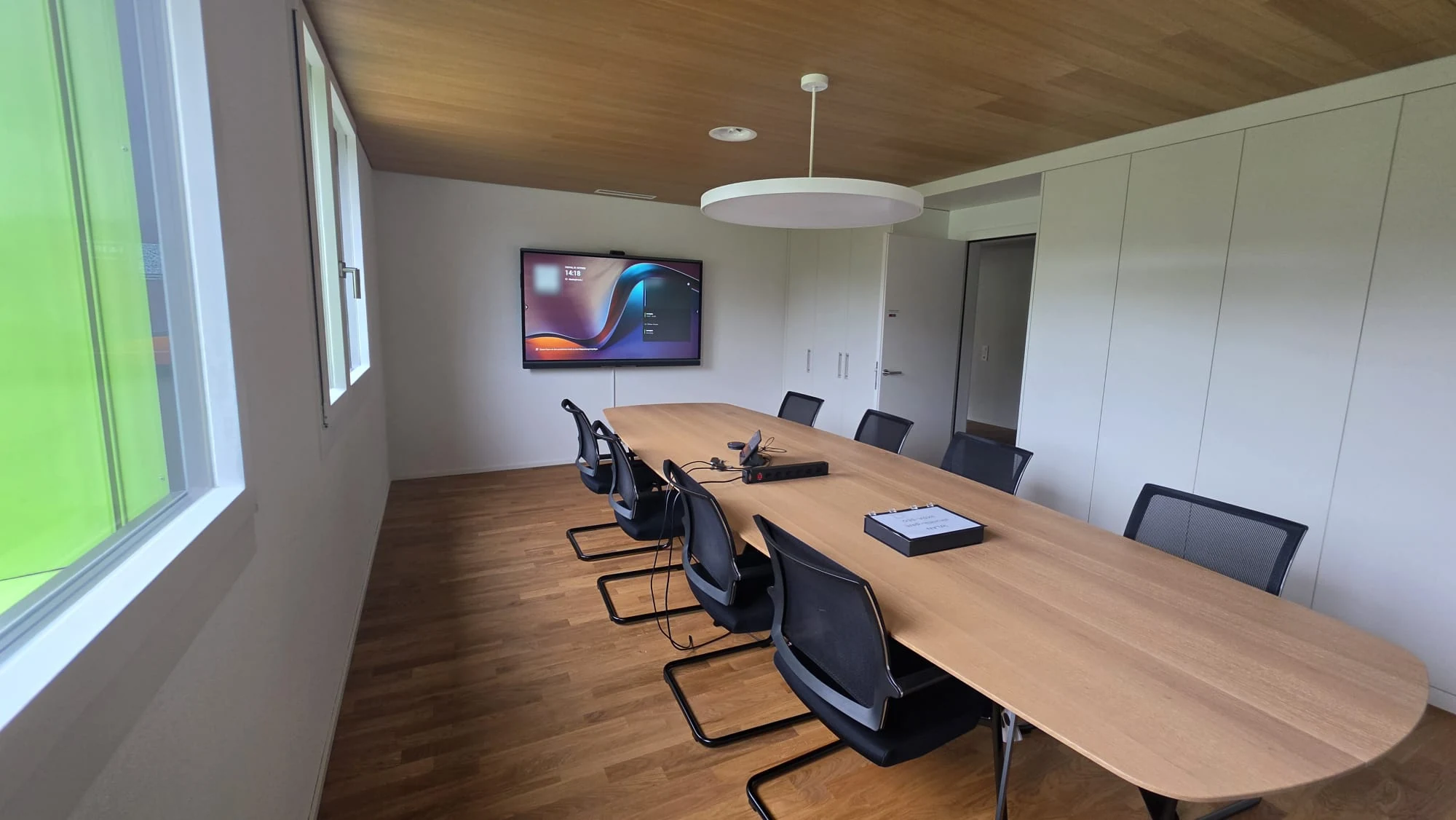
The MeetingBar A50 is the newest and largest model in Yealink's A series, intended for medium to large meeting rooms. For smaller rooms there are the A40, the A25 and the A10. At the ISE and InfoComm 2026 trade fairs, Yealink did not show a new MeetingBar model (as of November 2026).
Which Yealink MeetingBar suits which meeting room?
Yealink groups the bars by room size: A10 for huddle and phone rooms with 1 to 4 people, A25 for focus and huddle rooms, A40 for small to medium rooms, A50 for medium to large ones. The three larger models compared:
| Model | Room according to Yealink | Camera | Microphones | Speakers |
|---|---|---|---|---|
| A25 | Focus and huddle rooms | 3 lenses in 4K, ultra wide angle 151 degrees | 8, pickup up to 5 metres | 1 with 10 watts |
| A40 | Small to medium, up to 9 people | Dual camera with AI | 8 | Stereo |
| A50 | Medium to large, 16 people and more | 3 cameras with 50 megapixels each | 16, pickup up to 10 metres | 4 with 5 watts each |
All three run Android 13.
What can the Yealink MeetingBar A50 do?
The A50 is built for rooms where smaller bars reach their limits in camera and microphone. Yealink unveiled it in mid 2025. The key data:
- Three cameras with 50 megapixels each: one wide angle with 98.2 degrees horizontal and two telephoto lenses with 41.6 degrees each
- Automatic lens shutter
- 16 MEMS microphones with a 10 metre pickup range, expandable with up to 3 extra microphones
- 4 speakers
- Output to two 4K displays
- Qualcomm chip QCS8550, according to Yealink with over 10 times the AI performance of the previous generation
- Android 13 and MDEP, Microsoft's device platform
- Dimensions: 910 x 88 x 102 millimetres
The bar is operated via the CTP25 touch console, which is connected by network cable (Cat5e). The console has a USB-C port for your own laptop (BYOD). For camera direction, Yealink names three functions: IntelliFocus shows close-ups of the most recent speakers, plus Video Fence and Auto Framing.
Is the Yealink MeetingBar certified for Teams and Zoom?
Yes, Yealink describes the series as fully certified for Microsoft Teams and Zoom Rooms. The manufacturer does not mention Google Meet. If Google Meet is your main platform, clarify this before ordering. According to Yealink, the A25 also runs in BYOD mode, and on the A50 this works via the USB-C port on the console.
What is the successor to Yealink RoomCast?
The successor is called RoomCast E2. Yealink discontinued the previous RoomCast as of 28 February 2025 and has recommended the new device since then. RoomCast E2 transmits content wirelessly in 4K, from up to 4 devices at once. Sharing is done via a pod from Yealink.
Which protocols RoomCast E2 supports, such as AirPlay or Miracast, is not stated on the product page. According to the manufacturer, the device is only sold through authorised B2B partners. If an older plan still lists RoomCast, that item should be replaced.
Who is which bar for?
What counts is the room class Yealink states. The allocation in brief:
- A10: phone rooms and huddle rooms for 1 to 4 people
- A25: focus and huddle rooms. Yealink states the best audio quality up to a distance of 3.5 metres.
- A40: small to medium meeting rooms with up to 9 people
- A50: medium to large rooms for 16 people and more
Between the A40 and A50, room depth and number of seats decide. With 16, the A50 has twice as many microphones as the A40 and a pickup range of 10 metres. If more than 9 people regularly sit in the room, the A50 is the right class according to the manufacturer.
Limits and requirements
- The A25 does not take extra microphones and drives only one display.
- For the A25, the information on MDEP is not consistent: Yealink's English page lists the platform as supported, while the German page says support will follow shortly.
- Microsoft's Multi-Stream IntelliFrame requires Teams Rooms on Windows and the Teams Rooms Pro licence. For this, Yealink offers the SmartVision cameras, which are intended for Teams Rooms on Windows.
- The performance figures for the A50's chip are manufacturer claims.
- Yealink gives no specific delivery information for Switzerland.
What counts in planning and installation
The bar is only one part of the room. Before ordering, it is worth looking at four points.
- Wall: the display and bar need a load-bearing wall. The camera should be as close as possible to the eye level of the people seated.
- Power: plan sockets behind the display so that no cables run visibly across the wall.
- Network: the bar and the touch console on the table are connected by network cable. Decide on the cable route to the table before installation. More on infrastructure under IT and Pro AV.
- Acoustics: a lot of glass and hard surfaces make the room echo. More microphones do not solve this. Curtains, carpet or acoustic panels are more likely to.
IMAGEMEDIA from Solothurn plans, supplies, installs and supports meeting room technology and digital signage throughout Switzerland.
More on this: conference technology and hybrid meeting rooms.

In person
Philip Fiumi
Managing Director
Questions about Meeting rooms?
Write or call. We’ll advise you with no obligation and get back to you within one working day.
Matching service
More services.
More articles
News

Samsung MagicINFO is being discontinued: deadlines and the move to VXT
Samsung is replacing MagicINFO with the cloud CMS VXT. Which deadlines are documented, what VXT 4.0 can do and how to plan your migration.
Logitech Rally Bar 2: the new video bar and which bar suits which room
Logitech has unveiled the Rally Bar 2, successor to the Rally Bar and Rally Bar Mini. What is new and which Logitech bar belongs in which room.
Samsung Flip 2026: the new WMFX series and who it is worth it for
The Samsung Flip WMFX is a digital flipchart in four sizes from 55 to 85 inches. What is new, what it suits and why you need accessories for video conferencing.