Meeting room
Logitech Rally Bar 2: the new video bar and which bar suits which room
Logitech has unveiled the Rally Bar 2, successor to the Rally Bar and Rally Bar Mini. What is new and which Logitech bar belongs in which room.
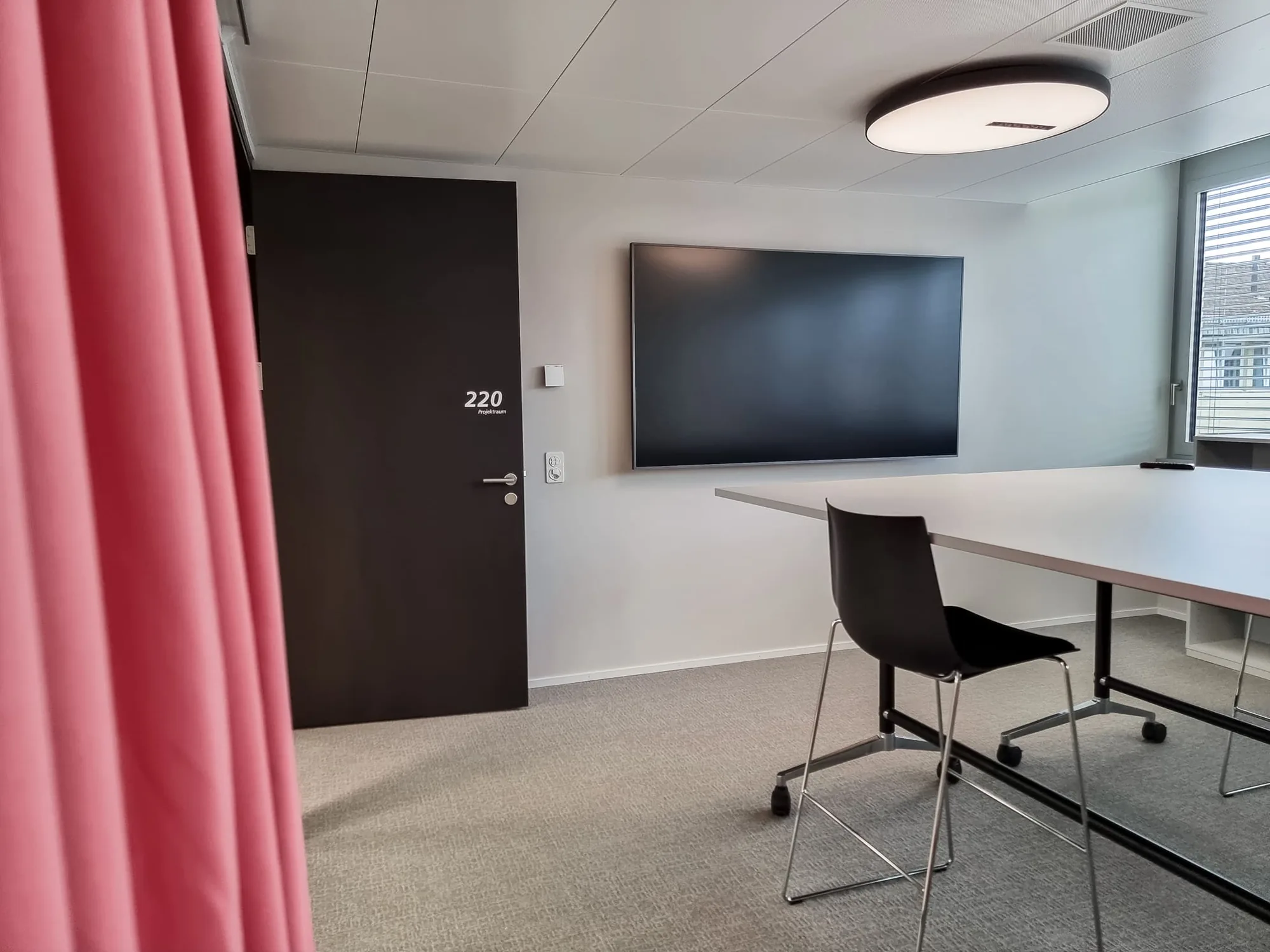
The Rally Bar 2 is Logitech's new video bar for medium to large meeting rooms. The manufacturer unveiled it on 8 October 2026 as the successor to the Rally Bar and Rally Bar Mini. For small rooms, the Rally Bar Huddle and MeetUp 2 remain in the range (as of November 2026).
What is new about the Logitech Rally Bar 2?
The Rally Bar 2 replaces two devices with one. New features are the camera with a 1-inch sensor, more processing power for on-device AI and sensors for the room. According to Logitech, it is the manufacturer's first device on the Microsoft Device Ecosystem Platform (MDEP). The key data:
- Camera: 1-inch sensor, 4K at 30 frames per second, 115 degree diagonal field of view, 4x digital zoom
- Audio: 6 beamforming microphones, pickup range up to 7 metres, 4 speakers
- Sensors for room air (including CO2, temperature and humidity) and radar
- Connections: 2 HDMI outputs, 1 HDMI input, USB-C, 2 USB-A, Gigabit Ethernet
- Logitech Link: accessories such as the Rally Mic Pod 2 connect via a single network cable that carries power and data
- Dimensions: 860 x 97 x 93 millimetres, 4.8 kilograms
There are also occupancy sensors. Via Logitech Sync, they let rooms be booked and released automatically.
Rally Bar 2 or Rally Bar: what is the difference?
The biggest difference is the camera. The first Rally Bar pans and tilts with motors and has a 5x optical zoom. The Rally Bar 2 works purely digitally: the sensor captures the room in wide angle and the framing is calculated.
Logitech states that the Rally Bar 2 has four times more AI processing power than various other video bars on the market. This is a manufacturer claim without named comparison devices. The bar projects less than 100 millimetres from the wall. The first Rally Bar is still listed in the Logitech shop. The manufacturer gives no end-of-sale date.
Which Logitech video bar suits which room?
Logitech divides by room class: Rally Bar Huddle and MeetUp 2 for huddle and small rooms, Rally Bar 2 for medium to large rooms. The manufacturer does not state numbers of people or square metres on the product pages.
| Model | Room according to manufacturer | Operation | Camera | Audio |
|---|---|---|---|---|
| MeetUp 2 | Small rooms | USB only, on a room PC or laptop | 4K, 120 degrees | 6 microphones, 1 speaker |
| Rally Bar Huddle | Huddle and small rooms | Standalone, on a room PC or laptop | 4K, 120 degrees | 6 microphones, 1 speaker |
| Rally Bar 2 | Medium to large rooms | Standalone, on a room PC or laptop | 4K, 115 degrees | 6 microphones, 4 speakers |
For boardrooms, training rooms and town hall spaces, the Rally AI Camera and Rally AI Camera Pro have been available since 2026, both with a 1-inch sensor and 115 degree field of view. The Pro model has a dual camera with 15x hybrid zoom. The Sight table camera complements the front video bar in medium to large rooms.
Is the Rally Bar 2 certified for Teams, Zoom and Google Meet?
Yes. According to Logitech, the Rally Bar 2 is certified for Microsoft Teams, Zoom Rooms and Google Meet. The bar runs standalone as an Android device, on a room PC or in BYOD mode, where you plug in your own laptop. What else belongs to the basic equipment is covered in the article on hybrid meeting rooms.
Who is the Rally Bar 2 for?
The bar suits medium to large rooms where a single device should cover camera, microphones and speakers. Typical cases:
- Medium to large meeting rooms with a fixed platform (Teams, Zoom or Google Meet)
- Companies that use the Rally Bar or Rally Bar Mini today and are equipping new rooms with the successor
- Rooms where occupancy and room air should also be recorded
- Rooms that should later grow with accessories via Logitech Link, for example with the Rally Mic Pod 2
The bar is less suitable for small rooms. There, according to the manufacturer, the Rally Bar Huddle or MeetUp 2 is the right class. For very large or divisible rooms, Logitech intends the Rally AI Camera.
Limits and open points
- MeetUp 2 only runs via USB and is not a standalone room system.
- Sight is not supported with the Rally Bar Huddle. The admin guide names operation with the Rally Bar and Rally Bar Mini. For the Rally Bar 2, the manufacturer's information is not clear.
- Advanced features in Logitech Sync (Insights, Remote UI, alerts) need an Essential or Select licence.
- Not yet available: the modular Rally System 2 Pro and new speakers are announced for summer 2027. RightSight 3 with automatic camera switching is due to follow as a software update in the second half of 2027.
In Switzerland, the Rally Bar 2 is listed on the Logitech website.
What counts in planning and installation
- Wall and display: the bar sits above or below the display, as close as possible to the eye level of the people seated. The wall must carry the display and the bar.
- Power and network: plan sockets and a network connection behind the display. For a permanently installed room system, cable is the more reliable choice than Wi-Fi.
- Cable routes: runs to the table, for example for extra microphones or the laptop connection, should be clarified before installation.
- Acoustics: glass, concrete and bare walls make voices echo. Even a good bar can only partly compensate for this. Carpet, curtains or acoustic panels often achieve more than a bigger device.
IMAGEMEDIA from Solothurn plans, supplies, installs and supports meeting room technology and digital signage throughout Switzerland.
More on this: conference technology and IT and Pro AV.

In person
Philip Fiumi
Managing Director
Questions about Meeting rooms?
Write or call. We’ll advise you with no obligation and get back to you within one working day.
Matching service
More services.
More articles
News
Samsung MagicINFO is being discontinued: deadlines and the move to VXT
Samsung is replacing MagicINFO with the cloud CMS VXT. Which deadlines are documented, what VXT 4.0 can do and how to plan your migration.
Samsung Flip 2026: the new WMFX series and who it is worth it for
The Samsung Flip WMFX is a digital flipchart in four sizes from 55 to 85 inches. What is new, what it suits and why you need accessories for video conferencing.
Samsung Color E-Paper: the digital poster that needs almost no power
Samsung Color E-Paper holds an image without power and only needs energy when it changes. What the EM32DX and EM13DX can do, what they suit and where the limits are.