Free software
Letter puzzle for digital signage
A little game for the waiting time: letters fly in jumbled up, the clock runs, then the answer sorts itself out. Free for your screens.
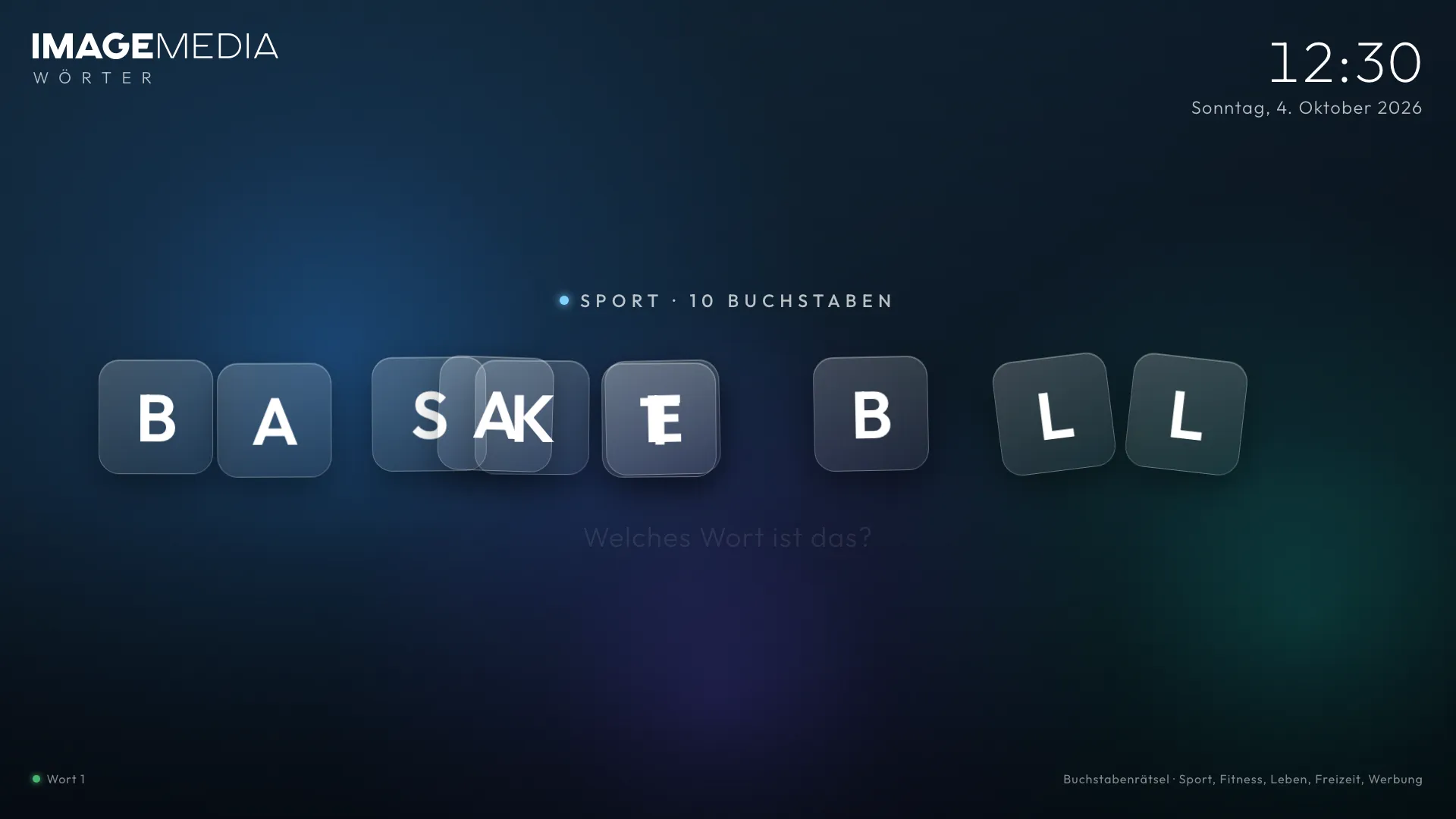
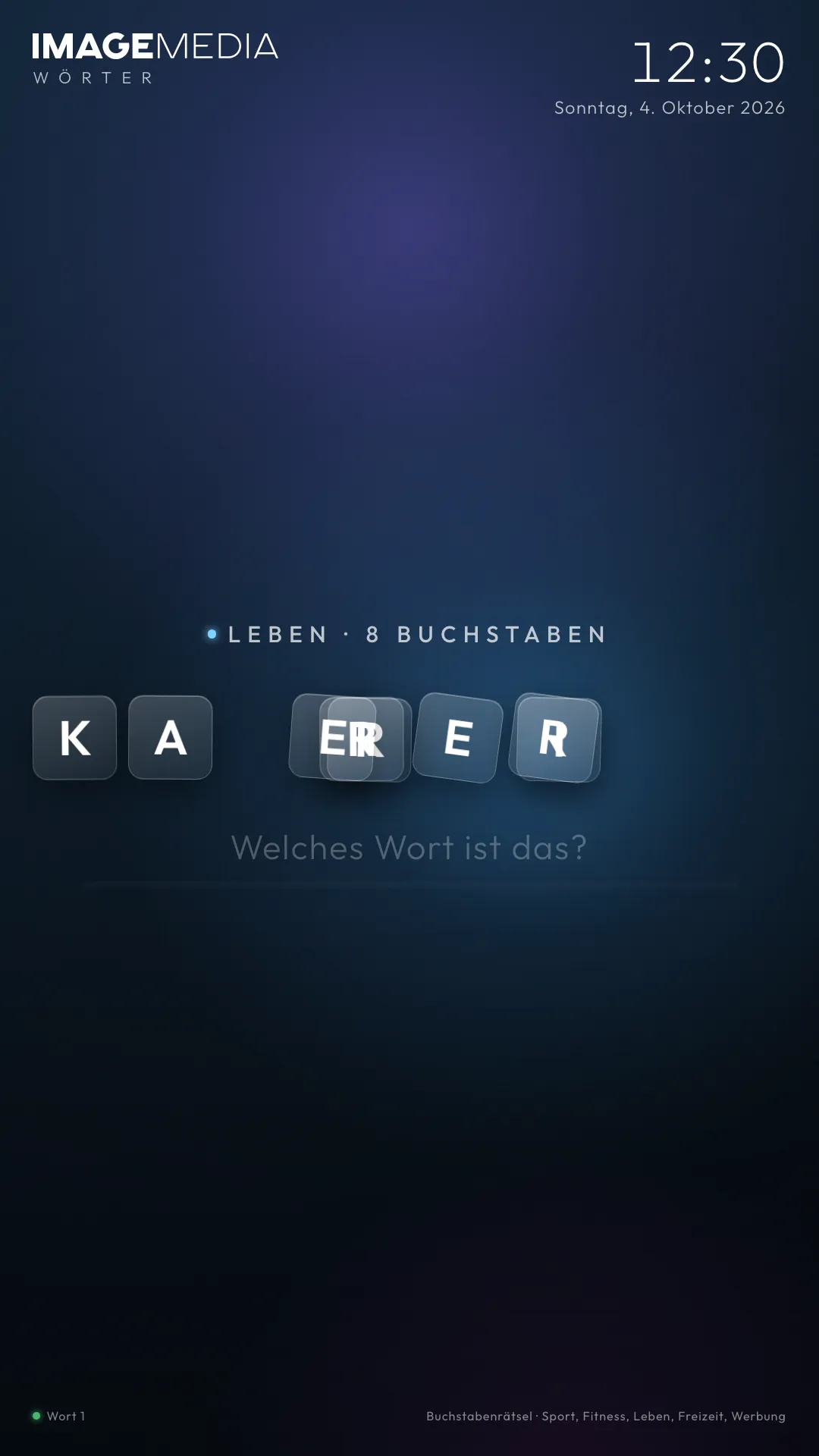
Still image of the app. One click runs the real app here, just as on the screen.
Words is a full-screen letter puzzle that needs no operation at all: the letters of a word appear jumbled up, a bar counts down the guessing time, then they arrange themselves into the answer. Around 280 words from sport, fitness, life, leisure and advertising. Choose categories, set the duration to your time slot, copy the link.
Not everything on a screen has to inform. A puzzle you solve in passing sticks and lifts the mood: at the gym between two sets, in the waiting area, in the canteen. Words runs without touch and without network access, only the font comes from Google Fonts.
The app fits exactly into the time slot of your signage player: when it appears a fresh word starts, and a round ends exactly with the set duration. We’ll add your own words on request, for example your products or technical terms.
Words
What the app does
How the game works
The letters of a word fly in jumbled up. A bar counts down the guessing time. Then the letters sort themselves into the answer, fly out, and the next word comes. In portrait, long words run over two lines.
Around 280 words in five categories
Sport, fitness, life, leisure and advertising. You choose which categories run. The deck is shuffled and doesn’t repeat a word until all have been shown; the position is kept even across the daily page restart.
Fits the time slot
Set the duration per word to the length of your time slot in the player, for example 10 or 15 seconds. When it appears the app starts a fresh word straight away and automatically deducts its own loading time from the first word so the round works out exactly.
Calm background, no distraction
A gentle aurora animation runs in the background and needs no network access. No advertising, no sound, nothing to distract from the word.
Instructions and link
How to set up the app
- Step 1
Open the app
Open the Words app in your browser. Without any settings all categories run with 10 seconds per word.
- Step 2
Open the settings
Click the logo or press the S key. The “Set letter puzzle” window opens.
- Step 3
Choose categories and time
Click the categories you want and set the time per word to the duration of your time slot in the player.
- Step 4
Copy the link for the screen
At the bottom of the settings window you’ll find “Link for the screen”. “Copy” puts the finished address, including your settings, on the clipboard. Each screen can have its own link with its own settings.
- Step 5
Add it to your signage CMS
In your player’s CMS, create a web content item (web page, URL or HTML widget), paste the link and set it to full screen. The app detects portrait and landscape by itself.
In the IMAGEMEDIA signage software this is under Content → Web page. If you use a different player, we’ll gladly show you where.
Link parameters per screen
| Parameter | Example | Effect |
|---|---|---|
| kategorie | ?kategorie=sport,fitness | Only certain categories: sport, fitness, leben, freizeit, werbung |
| dauer | &dauer=15 | Seconds per word for the whole round (5 to 60, default 10) |
| reserve | &reserve=1.5 | Reserve in seconds at the end of the time slot (default 1) |
| debug | &debug=1 | Shows at the bottom when and by what the game was started, for setting up on the screen |
| logo | &logo=https://…/logo.svg | Your own logo instead of the IMAGEMEDIA wordmark |
| setup | &setup=1 | Open the settings window on start |
Sources and notes
- 01The app needs no connection to a server; only the font is loaded from Google Fonts.
- 02The app shows the IMAGEMEDIA wordmark. With the logo parameter you can use your own logo.
- 03Free to use on your screens. We’ll add your own words, your own design or further languages on request.
FAQ
Frequently asked
What does the letter puzzle cost?
Nothing. You can use it freely on your screens. We’ll gladly offer you your own word lists, your design or further languages.
Can I add my own words?
Not in the free version. But we’ll gladly add a category of your own, for example with your products, brands or technical terms.
How do I set the duration correctly?
Take the length of the time slot in which the app runs in the player, for example 15 seconds, and enter it as the duration. The app deducts the loading time itself and ends the round on time.
Does the game run without internet too?
Almost. The display itself needs no server, only the font comes from Google Fonts. Without internet the game carries on with a fallback font.
Is the puzzle available in French or Italian?
Currently only in German. We’ll add further languages on request.
Want your own app? about your own app.
In your design, with your data or for your player: we build custom signage apps and run them for you.