Free software
Weather app for digital signage
Full-screen weather for any place in Switzerland, with a video background that matches the conditions. Free for your screens.
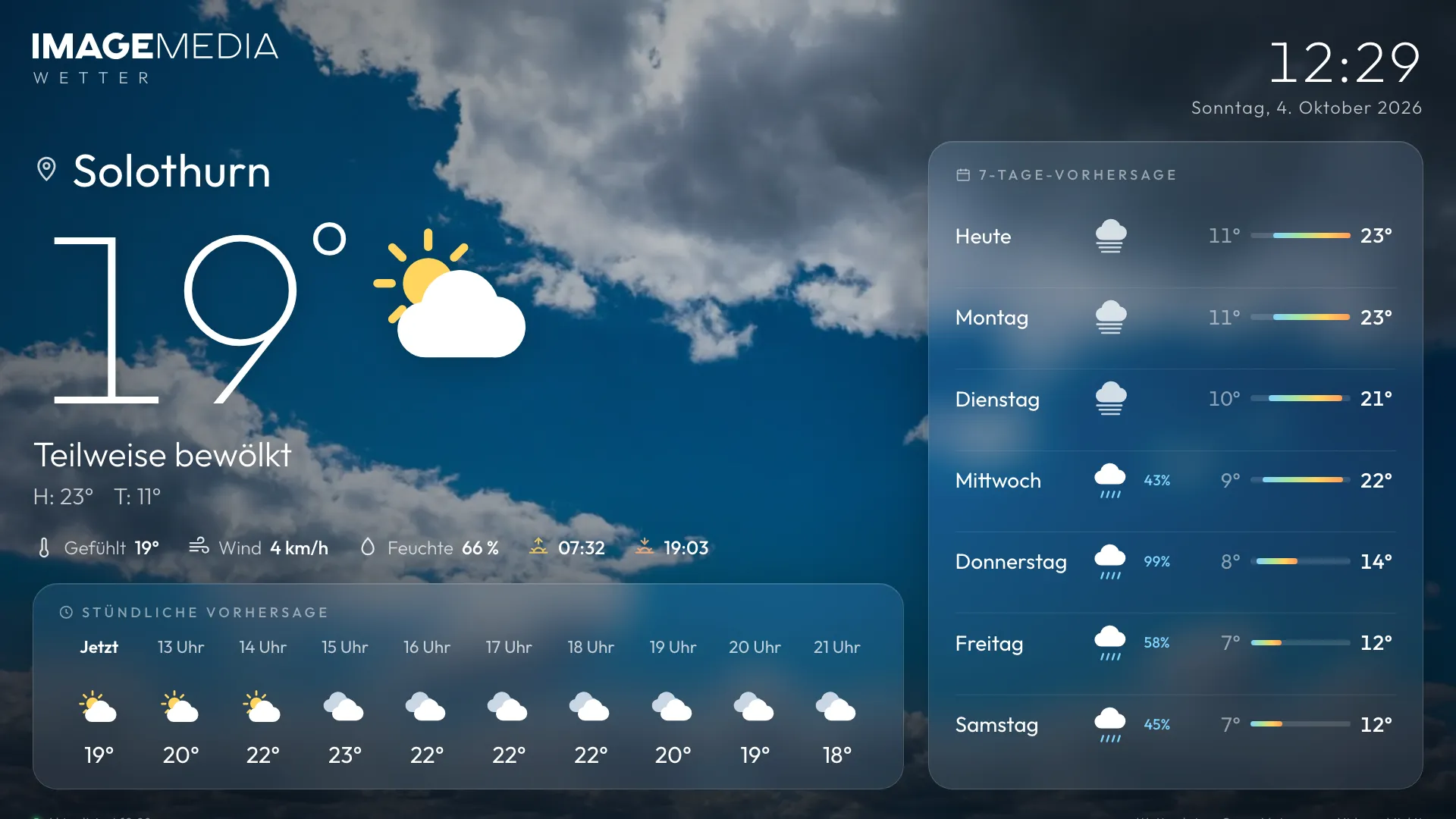
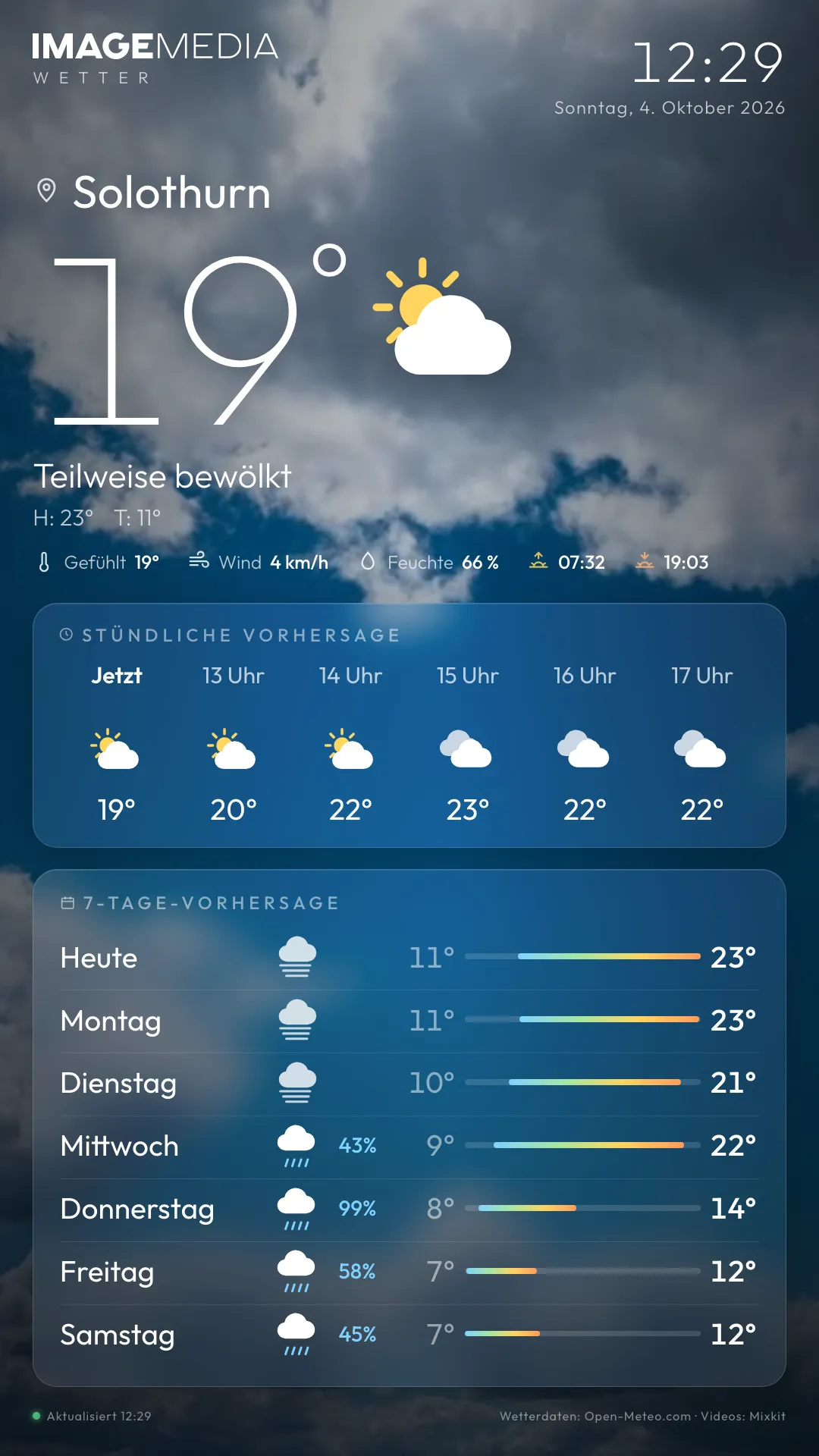
Still image of the app. One click runs the real app here, just as on the screen.
The weather app shows the current weather, the next few hours and the coming days for any place you choose. A video that matches the conditions plays in the background. Set the place, copy the link, add it to your signage player, done.
Weather is the one thing everyone looks at on a screen: in reception, at the gym, in the shop, in the staff room. Our weather app is built for exactly that: big, calm, ad-free, in portrait and landscape. The data comes from Open-Meteo and the background switches with the weather between sun, clouds, rain and snow.
The app runs in the browser and needs no installation. You can use it freely on your screens just as it is. If you’d like your own version in your design, we’ll build it for you.
Weather
What the app does
What the app shows
Temperature, conditions and place name in large type, below that the next few hours starting from the current hour and the outlook for the coming days with highs and lows. Time and date run alongside.
Video background to match the weather
The background changes with the weather: sunshine, clouds, rain, thunderstorm, snow, fog. The videos come from Mixkit and may also be used commercially. If a video doesn’t load, a matching still image appears straight away.
Any place you like
Each screen can show its own place: by place name or postcode in the settings window, or directly by coordinates in the link. So the branch in Bern shows Bern’s weather and the studio in Lucerne shows Lucerne’s.
Runs reliably around the clock
The weather data is reloaded regularly and the page reloads itself once a day. If the connection drops, the last known data stays on screen. If a player pauses the video, the app restarts it.
Instructions and link
How to set up the app
- Step 1
Open the app
Open the weather app in your browser. Without any settings it shows the weather for Solothurn.
- Step 2
Open the settings
Click the logo or press the S key. The “Set region” window opens.
- Step 3
Choose a place
Enter a place or postcode and pick the match. If you like, give the place its own display name, for example “Bern branch”.
- Step 4
Copy the link for the screen
At the bottom of the settings window you’ll find “Link for the screen”. “Copy” puts the finished address, including your settings, on the clipboard. Each screen can have its own link with its own settings.
- Step 5
Add it to your signage CMS
In your player’s CMS, create a web content item (web page, URL or HTML widget), paste the link and set it to full screen. The app detects portrait and landscape by itself.
In the IMAGEMEDIA signage software this is under Content → Web page. If you use a different player, we’ll gladly show you where.
Link parameters per screen
| Parameter | Example | Effect |
|---|---|---|
| ort | ?ort=Solothurn | Place by name or postcode |
| lat, lon | ?lat=47.2088&lon=7.5323 | Place by coordinates, more precise than the name |
| name | &name=Filiale Bern | Your own display name instead of the place name |
| logo | &logo=https://…/logo.svg | Your own logo instead of the IMAGEMEDIA wordmark |
| video | &video=local | Videos from your own server instead of the Mixkit CDN (for networks without open internet access) |
| setup | &setup=1 | Open the settings window on start |
Sources and notes
- 01Weather data: Open-Meteo.com (free to use). Videos: Mixkit (mixkit.co/license, free for commercial use too).
- 02The app shows the IMAGEMEDIA wordmark. With the logo parameter you can use your own logo.
- 03Free to use on your screens, with no guarantee of availability. For guaranteed operation with your own design and support, talk to us.
FAQ
Frequently asked
What does the weather app cost?
Nothing. You can use it freely on your screens. If you want a version in your design, with your own data or with guaranteed operation, we’ll make you an offer.
Does the app run on my signage player?
On every player that can show a web page in full screen: Samsung Tizen, LG webOS, BrightSign, Windows, Android and of course our own signage software. The player needs internet access.
Can each screen show a different place?
Yes. Each screen gets its own link with its own place and name.
Does the app work in portrait too?
Yes. The app detects the screen’s orientation itself and arranges the content accordingly.
What happens without internet?
The last loaded data stays on screen until the connection is back. With video=local, the background videos also come from your own server.
Want your own app? about your own app.
In your design, with your data or for your player: we build custom signage apps and run them for you.