Free software
News app for digital signage
Current headlines from Switzerland and your region with big pictures, rotating automatically. Free for your screens.
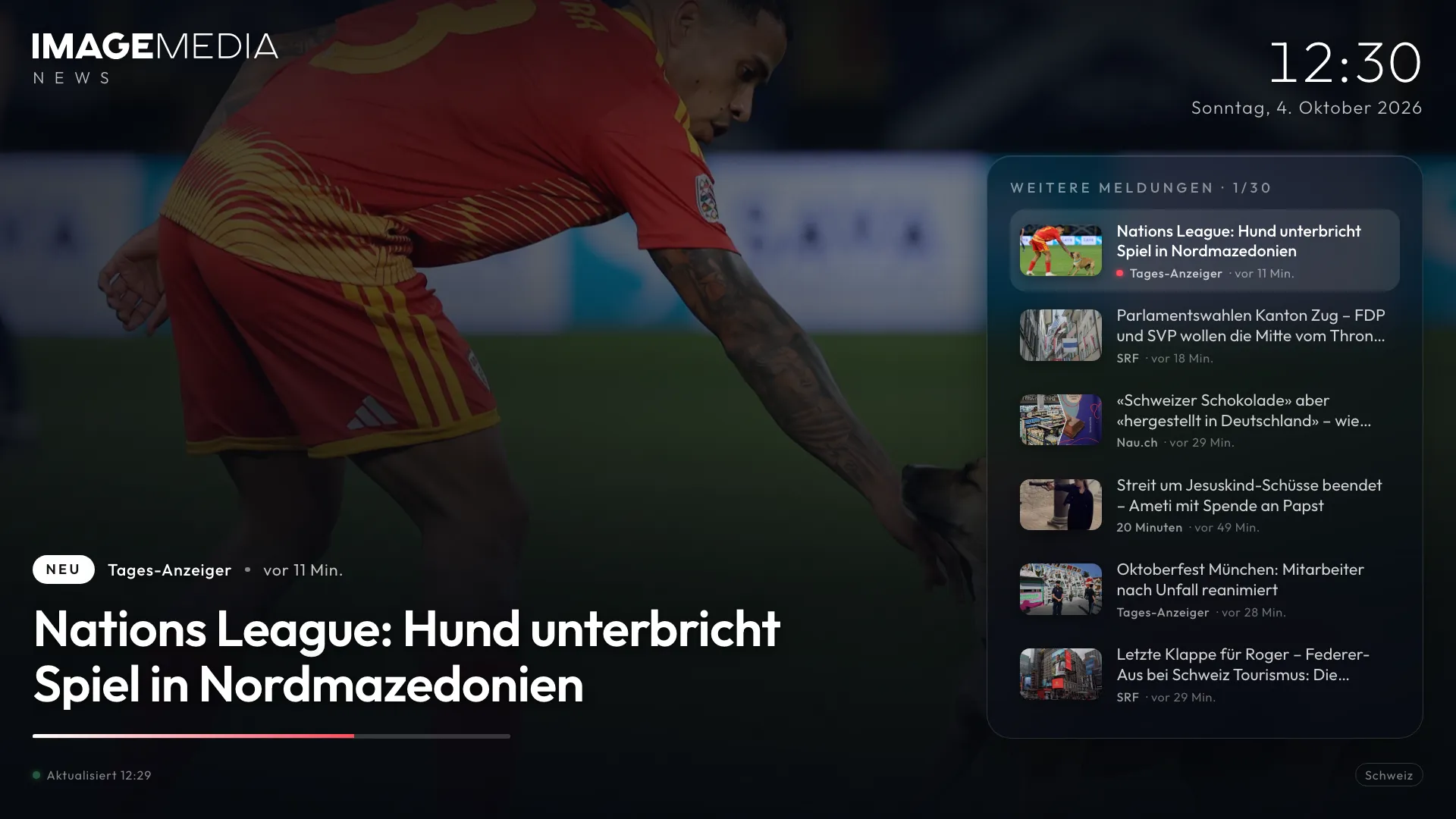
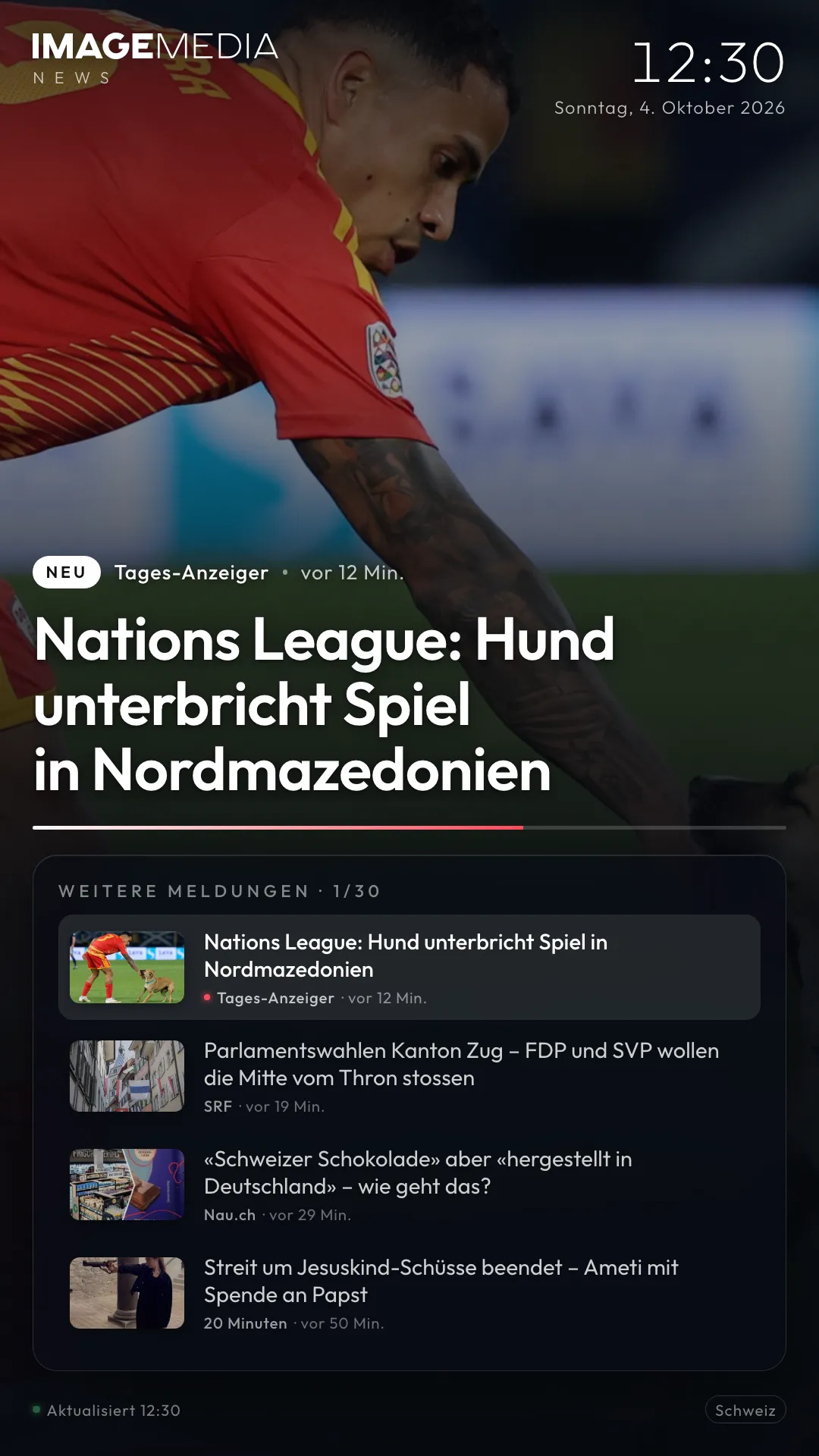
Still image of the app. One click runs the real app here, just as on the screen.
The News app shows the latest stories from Switzerland and, if you like, from individual regions in full screen, each with a big picture, headline, short text and source. The stories rotate automatically and are updated every few minutes. Choose regions, copy the link, add it to your signage player.
News keeps a screen alive: whoever is waiting reads, and whoever passes by every day sees something new every day. The News app brings together public feeds from Swiss publishers, shows only stories with a picture and removes duplicates. You choose whether only national stories run or a mix with your region.
The app runs in the browser without installation and may be used freely on your screens. We’ll gladly build you a version with your own company news alongside.
News
What the app does
What the app shows
For each story a big picture, the headline, optionally a short text and the source with date. By default 30 stories rotate, each for 12 seconds. Both can be changed per screen.
Switzerland and regions
National stories from SRF, 20 Minuten, Tages-Anzeiger and Nau.ch. Plus regions such as Zurich, Bern, Basel, Aargau, Solothurn, Central Switzerland, Eastern Switzerland, Graubünden and Romandy, as well as the International, Business and Sport sections. Regions can be mixed as you like.
Pictures only, no duplicates
The server in the background fetches the feeds every five minutes, enlarges the preview images, removes duplicate stories and hides anything older than three days. Stories without a picture don’t appear at all.
Runs reliably around the clock
The display loads new stories every five minutes and the whole page once a day. If the connection drops, the last stories stay visible. If the server can’t be reached, the app fetches the SRF feed directly.
Instructions and link
How to set up the app
- Step 1
Open the app
Open the News app in your browser. Without any settings it shows national stories from Switzerland.
- Step 2
Open the settings
Click the logo or press the S key. The “Set News regions” window opens.
- Step 3
Choose regions, duration and number
Click the regions you want or choose “Switzerland only”. Set how long a story stays on screen and how many rotate, then “Apply”.
- Step 4
Copy the link for the screen
At the bottom of the settings window you’ll find “Link for the screen”. “Copy” puts the finished address, including your settings, on the clipboard. Each screen can have its own link with its own settings.
- Step 5
Add it to your signage CMS
In your player’s CMS, create a web content item (web page, URL or HTML widget), paste the link and set it to full screen. The app detects portrait and landscape by itself.
In the IMAGEMEDIA signage software this is under Content → Web page. If you use a different player, we’ll gladly show you where.
Link parameters per screen
| Parameter | Example | Effect |
|---|---|---|
| r | ?r=schweiz,bern,solothurn | Regions, mixed with commas |
| dauer | &dauer=15 | Seconds per story (default 12) |
| n | &n=20 | Number of stories in rotation (default 30) |
| text | &text=0 | Hide the short text, headline only |
| logo | &logo=https://…/logo.svg | Your own logo instead of the IMAGEMEDIA wordmark |
| setup | &setup=1 | Open the settings window on start |
Sources and notes
- 01Only the publishers’ public RSS feeds and news sitemaps are used. Shown are title, short text, preview image and source; stories older than three days are dropped.
- 02The NZZ prohibits reuse of its feed and is not included. The CH Media titles (Aargauer Zeitung, Solothurner Zeitung, bz Basel, Luzerner Zeitung, St. Galler Tagblatt) are prepared but block requests from data centres; they only work once the server is on your premises.
- 03Free to use on your screens, with no guarantee of availability. For your own company news, your own design or guaranteed operation, talk to us.
FAQ
Frequently asked
What does the News app cost?
Nothing. You can use it freely on your screens. We’ll gladly offer you a version with your own stories, in your design or with guaranteed operation.
Can I mix in my own company news?
Not in the free version. But we’ll gladly build you a variant where your stories, entered in a simple form, run between the news.
Why are stories from my region missing?
Some regional publishers block requests from data centres or don’t allow reuse. Solothurn, for example, delivers few stories; it’s best mixed with Aargau or Bern.
May I show the news on my screens?
The app uses only public feeds, names the source and shows title, short text and preview image, just as the publishers offer them through their feeds. For public use with advertising around it, it’s best to clarify the specific case with us.
Does the app work in portrait?
Yes. Portrait and landscape are detected automatically.
Want your own app? about your own app.
In your design, with your data or for your player: we build custom signage apps and run them for you.